
What is an evidence-graded buyer persona?
 Clwyd Probert: Sep 30, 2026, 8:25:00 PM
An evidence-graded buyer persona is a buyer persona in which every claim carries a label saying where it came from: first-party evidence (the...
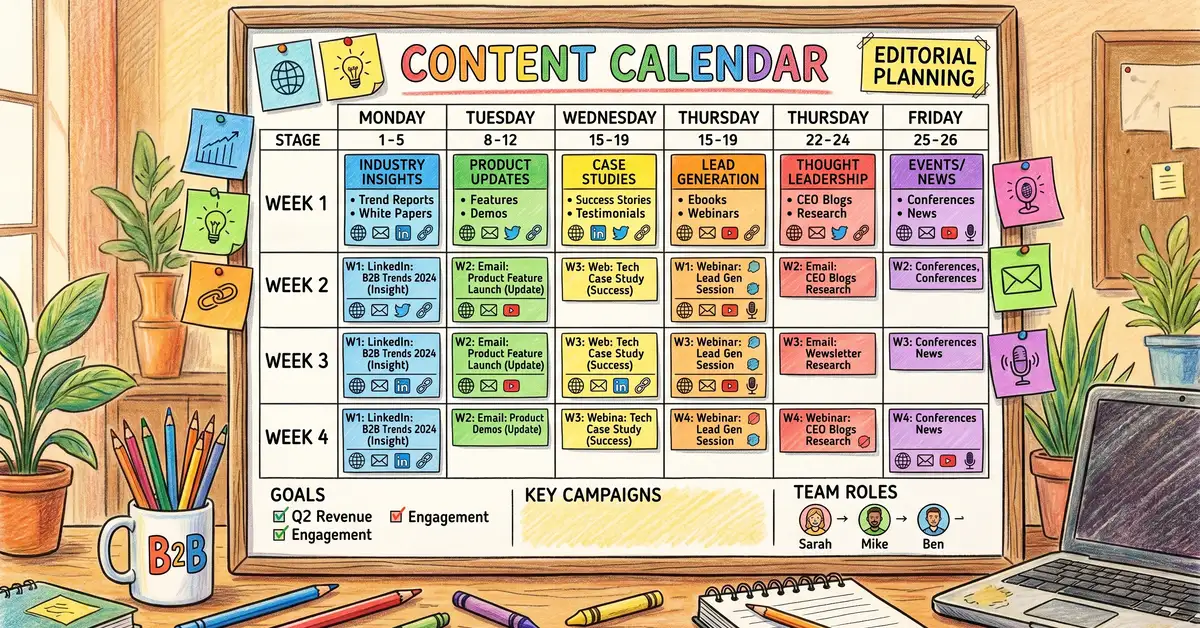
Teams using content calendar templates with fixed publishing schedules see 67% higher traffic than those publishing sporadically. Yet most B2B organizations still operate without the publishing consistency that drives compounding results — creating content ad-hoc, missing deadlines, and losing momentum.
A content calendar template gives your team a single, shared system for planning, scheduling, and tracking content across every channel. This guide covers everything from field selection to multi-channel coordination, plus a free downloadable template pack you can deploy in Google Sheets, Excel, or Airtable today.
The data is clear: 73% of B2B marketers now maintain a documented content strategy, and those using structured calendars produce 67% more leads per post with a 2.1x higher conversion rate than B2C equivalents. Teams that batch content creation cut production time by 60–80%. The sweet spot for B2B publishing is 11–16 posts per month, generating 2.5–3.5x more traffic than minimal publishing.
Key Takeaway: Teams using content calendar templates with fixed publishing schedules see 67% higher traffic and cut production time by 60–80% through content batching. The sweet spot for B2B publishing is 11–16 posts per month — beyond that, diminishing returns make quality and distribution more valuable than volume.
Get all three formats in one ZIP — Excel (with formulas), Google Sheets-ready, and Airtable-compatible CSV. Includes multi-channel planning, status tracking, content pillars, 12-month view, and publishing cadence targets.
Download Free Content Calendar Template (ZIP)
See how Marketing Mary turns a plan into articles.
The difference between a content calendar that gets abandoned in week three and one your team actually uses comes down to field selection. Too few fields and you lose strategic visibility. Too many and your team wastes time on data entry instead of content creation.
Track the working title, final headline, and URL slug. This gives clarity on what is being created and where it lives.
Record the format — blog post, social update, email, video, case study, or infographic. This enables filtering by format and resource planning.
Assign which buyer persona this piece serves. This prevents all content targeting the same audience segment.
Tag as awareness, consideration, or decision. This ensures balanced pipeline coverage — not just top-of-funnel content.
Name the individual responsible for creation and delivery. 38% of content plans fail from unclear ownership.
Track through the stages: Ideation, In Progress, In Review, Approved, Scheduled, Published. This identifies bottlenecks before they cause missed deadlines.
Record both target and actual publication dates. Tracking consistency is the single biggest driver of traffic growth.
List where each piece will be distributed — blog, LinkedIn, email, Twitter/X, Instagram, YouTube. This ensures multi-channel distribution is planned, not an afterthought.
Record the primary SEO keyword and search volume. This connects content planning to organic growth strategy.
Assign to one of your 3–5 core themes. This maintains the 80/20 value-to-promotional content ratio.
Start with these 10 core fields — they cover planning, production, and distribution without creating data-entry overhead. Once your team is consistently using the calendar, add performance tracking fields (views, leads, conversions) to close the measurement loop that 65% of content marketers currently lack.
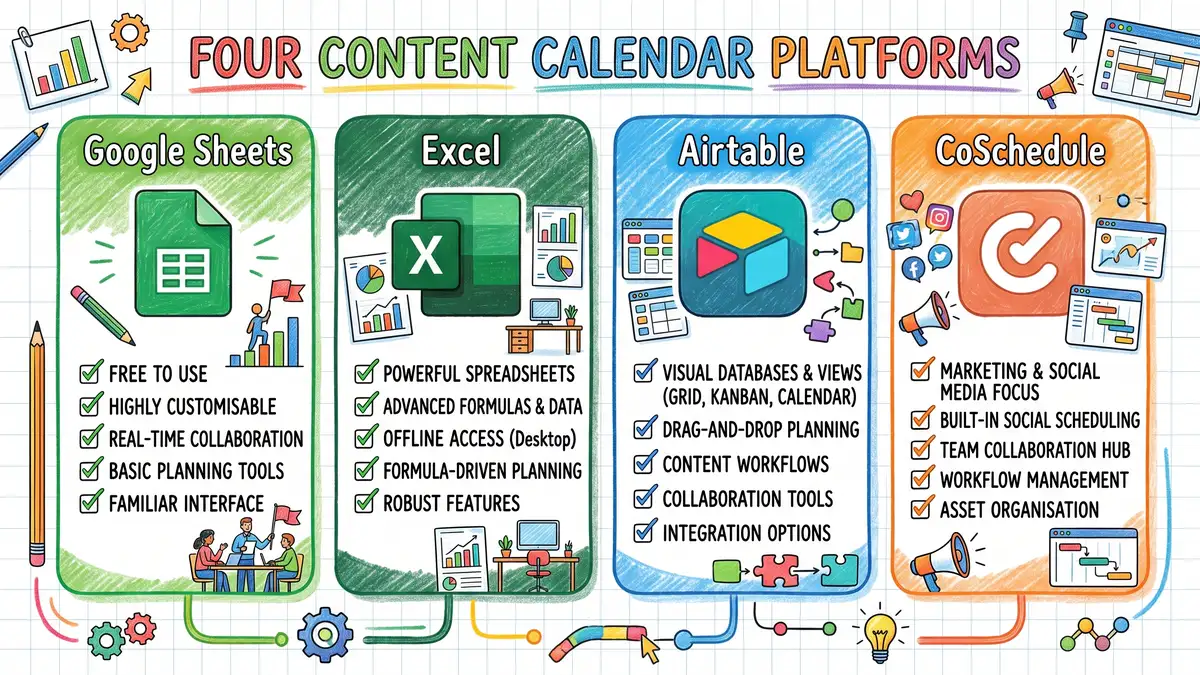
Your content calendar format should match your team's size, technical comfort, and workflow complexity. The right tool for a 3-person startup is wrong for a 15-person team managing multi-channel campaigns across regions.
Best for: Small teams (1–5 people), budget-conscious organizations, real-time collaboration. Supports 100+ simultaneous editors at zero cost with a familiar interface. Limitations: No file attachments, flat structure, manual status updates. Cost: free with a Google account; Google Workspace business plans add a per-user fee.
Best for: Microsoft-heavy organizations needing offline access and data governance. Offers 500+ preset functions, local file control, and complex formulas. Limitations: Version control issues, poor real-time collaboration. Cost: desktop Excel comes with Microsoft 365 Apps for business at $10 per user per month, paid yearly (Microsoft pricing page, checked Oct 2026).
Best for: Growing teams (6–15 people) managing multi-channel content with workflow tracking. Provides 5+ view types (Kanban, calendar, Gantt), file attachments, and linked records. Limitations: Free tier caps at 1,000 records and 5 editors. Cost: a free plan, then the Team plan at $20 per user per month, billed annually (Airtable pricing page, checked Oct 2026).
Best for: Marketing teams needing native social scheduling alongside editorial planning. Includes built-in social publishing, approval workflows, and content scoring. Limitations: Higher cost, learning curve, assumes multi-user teams. Cost: from $29 a month for one seat, or $49 a month for two seats on the Professional plan, billed annually; plans for larger teams are custom (CoSchedule pricing page, checked Oct 2026).
Our recommendation for most UK B2B teams: Start with Google Sheets if you are under 5 people and managing 1–2 channels. Move to Airtable when you outgrow spreadsheets and need workflow views, file attachments, and multi-channel tracking. Invest in dedicated tools like CoSchedule only when you are publishing 20+ pieces monthly with structured approval workflows.
Our free template pack works across all three platforms — download the Excel version for offline use, import the CSV into Airtable, or copy the Google Sheets format.
Setting up a content calendar takes most teams 2–4 hours for the initial build, then 30–60 minutes per week to maintain. Here is the sequence that produces the best results, based on how high-performing B2B teams structure their planning.
Step 1: Define Your Content Pillars (30 Minutes) — Identify 3–5 recurring content themes that serve your audience and align with your positioning. For example: educational guides, product comparisons, customer success stories, industry benchmarks, and thought leadership. Best practice is allocating 80% of content to audience value and 20% to promotional content — your pillars enforce this ratio automatically.
Step 2: Set Your Publishing Cadence (15 Minutes) — Choose a frequency your team can sustain consistently — consistency matters more than volume. The data shows 11–16 posts per month hits the sweet spot (2.5–3.5x traffic multiplier), but even 5–8 posts monthly generates 1.8x traffic versus baseline. Set a cadence and protect it. Teams that publish on a fixed schedule outperform sporadic publishers by 67%.
Step 3: Build Your Template Structure (60 Minutes) — Create your calendar using the 10 core fields above. Set up separate tabs or views for each channel if you are managing blog, social, and email from one calendar. Add conditional formatting to highlight overdue items and approaching deadlines. If you are using Airtable, configure a Kanban view for workflow tracking alongside the calendar view for scheduling.
Step 4: Plan Your First 4–8 Weeks (90 Minutes) — Fill in confirmed content for the next 4 weeks and tentative content for weeks 5–8. Use your marketing plan template to align content topics with campaign objectives and seasonal priorities. Reserve 20–30% of calendar slots as flex spots for trending topics, industry news, or real-time opportunities — rigid calendars miss engagement opportunities.
Step 5: Set Up Your Weekly Review Rhythm (15 Minutes) — Schedule a 30-minute weekly calendar review: check status of in-progress items, confirm next week's content is on track, and identify gaps or bottlenecks. This weekly cadence prevents the most common calendar failure — plans that look good in month one but get abandoned by month three because nobody is maintaining them.
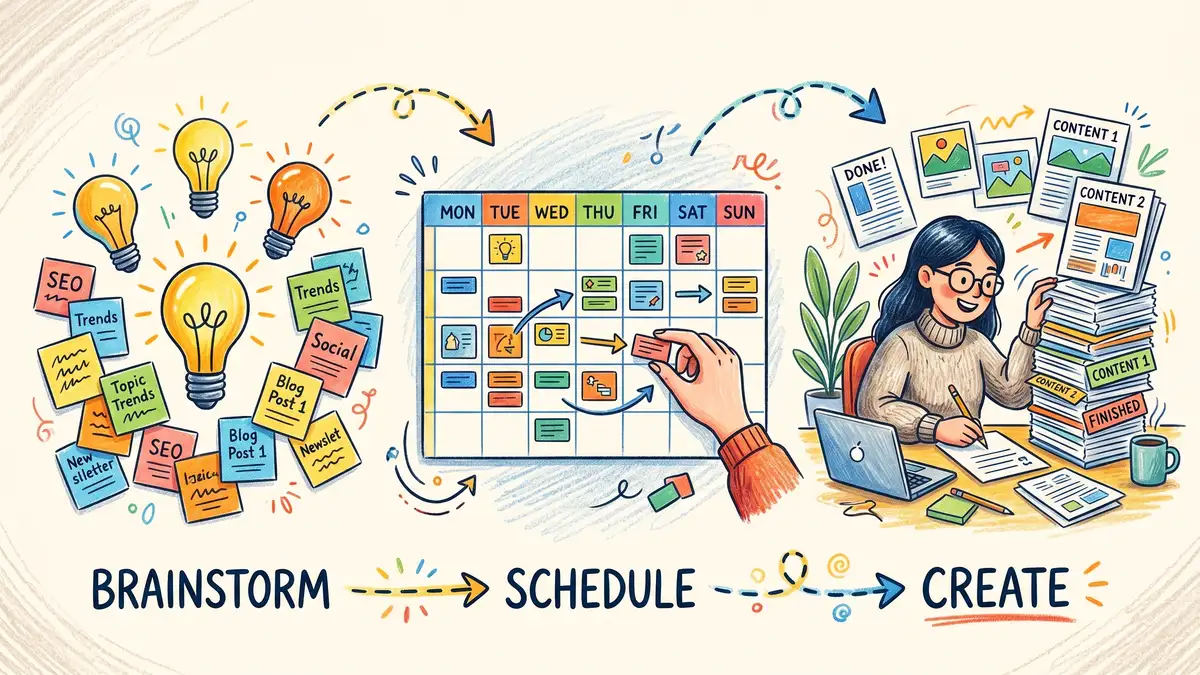
Content batching is the single most effective productivity technique for content teams, reducing production time by 60–80% by eliminating the context-switching and decision fatigue that kills creative output. Instead of creating one piece at a time throughout the week, you dedicate focused blocks to creating multiple pieces of similar content in sequence.
The method works through three mechanisms. Decision fatigue reduction: concentrating all creative choices (topics, hooks, formats, CTAs) into one session frees mental energy for execution. Context switching elimination: the 10–15 minutes your brain needs to refocus after switching tasks disappears when you batch similar work. Consistency improvement: writing five LinkedIn posts in sequence naturally maintains a more consistent voice than writing one post between meetings, emails, and other interruptions.
The practical structure follows three phases: brainstorm all topics and outlines first (don't write anything yet), schedule the creation sequence, then create all assets in focused blocks. Keep creation sessions to 60–90 minutes for deep creative work (blog writing, video scripting) and 2–3 hours for lighter tasks (social captions, email copy, design from templates). A single focused batching session can produce a week's worth of planned content in the time previously required for a single piece.
Warning — The Batching Trap to Avoid: Teams often batch-create posts but still plan them individually, losing half the efficiency benefit. Run a monthly planning session where you map all content topics for the next 4–8 weeks before any creation begins. Separate ideation from execution completely — it is the separation that makes batching work.
How often should your team publish? The data shows a clear pattern with diminishing returns that helps you find the right balance between output and quality.
0–4 posts per month (baseline traffic): Starting point — good for testing content-market fit, but will not build momentum.
5–8 posts per month (1.8x traffic): Minimum viable cadence for most B2B teams — achievable with a 2-person team.
11–16 posts per month (2.5–3.5x traffic): The sweet spot — best balance of volume and diminishing returns for 3–5 person teams.
17–20 posts per month (3.5x traffic): Marginal gains slow — only pursue if quality holds and you have automated workflows.
21–30+ posts per month (3.7–3.9x traffic): Heavy diminishing returns — redirect resources to content refresh and distribution instead.
A critical insight from this data: refreshing existing high-performing content delivers 2–3x better ROI than publishing new thin content. Your content calendar should include a "refresh" track alongside new content — articles that have not been updated in 12+ months are candidates for automated content refresh cycles that maintain rankings without requiring new topic ideation.
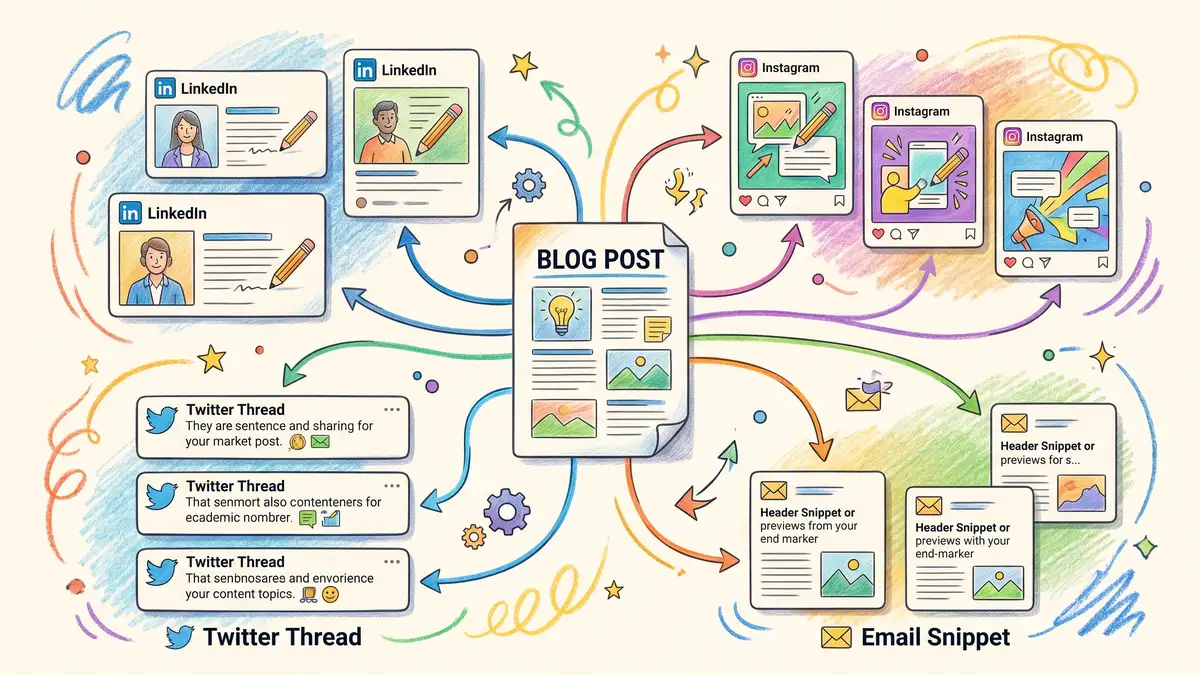
Most content calendar templates only handle one channel — typically blog or social media. But B2B teams need to coordinate publishing across blog, LinkedIn, email, Twitter/X, and sometimes YouTube or podcasts. A multi-channel calendar prevents the most common coordination failure: publishing a blog post without the supporting social posts and email distribution that drive 80% of initial traffic.
The key is content atomization — planning how each core piece (usually a blog post or guide) breaks down into channel-specific variants. One 2,500-word blog post should generate 3–5 LinkedIn posts, 2–3 email snippets, 5–8 Twitter/X posts, and potentially a short-form video clip. Your calendar should track both the parent content piece and all its channel derivatives, linking them so nothing falls through the cracks.
Structure your multi-channel calendar with three layers. Layer 1: Strategic roadmap (6–12 month view) — major themes, campaigns, and seasonal content aligned with your marketing plan. Layer 2: Tactical calendar (1–3 month view) — confirmed content with assigned owners, target dates, and status tracking. Layer 3: Daily publishing schedule (weekly view) — exact times, platform-specific formatting, and hashtag strategies for each channel.
For social media specifically, 89% of B2B marketers use organic social as a distribution channel, making it the most universally adopted. But effectiveness varies dramatically: in-person events (52%) and webinars (51%) are rated most effective by B2B marketers, while email newsletters rank lowest at 37% — a signal that marketing automation applied to your higher-performing channels delivers better ROI than doubling down on email volume.
A well-structured approval workflow is the difference between content that ships on time and content stuck in review purgatory. Teams with structured multi-level approval workflows report cutting review cycles from days to hours — but only when the workflow is deliberately designed, not left to chance.
Low-Risk Content — Social updates, routine blog posts, email newsletters. One approval level: team lead reviews and approves. Target: same-day approval. This covers 70–80% of your content volume.
High-Risk Content — Competitive positioning, press releases, campaign landing pages, content mentioning partners or clients. Two to three approval levels: team lead, then stakeholder or legal, then executive. Target: 48-hour turnaround.
The 80/20 principle applies here too: tier your approval process so 80% of content moves fast through lightweight review, while the 20% that carries brand or legal risk gets the scrutiny it deserves. Trying to route every social post through three approval stages is how calendars die.
As your content operation matures, your calendar needs to evolve from a simple publishing schedule into a content operations platform. The transition typically follows a predictable path based on team size and channel complexity.
Phase 1 (1–3 people, 1–2 channels): Google Sheets handles everything. One tab per channel, simple status tracking, manual distribution. This is where most B2B teams start, and it works well until you are publishing 10+ pieces monthly across 3+ channels.
Phase 2 (4–8 people, 3–4 channels): Move to Airtable or a similar database tool. You need linked records (connecting blog posts to their social derivatives), multiple views (calendar plus Kanban plus gallery), and file attachments for design assets. The upgrade pays for itself through reduced email coordination and fewer missed deadlines.
Phase 3 (8+ people, 5+ channels): Consider dedicated platforms like CoSchedule, or connect your calendar to the rest of your marketing tools. At this scale, you need native social publishing, automated approval routing, content scoring, and performance analytics within the calendar itself.
Regardless of your current phase, the principle remains the same: your calendar should reduce friction, not add it. If your team is spending more time maintaining the calendar than creating content, you have over-engineered the system. Start simple, add complexity only when you feel the pain of its absence.
Maintain a confirmed 1–3 month tactical calendar with specific publication dates, plus a flexible 6–12 month strategic roadmap outlining themes and campaigns. Reserve 20–30% of calendar slots for reactive content. This dual-horizon approach gives you strategic direction without locking into rigid commitments that 32% of teams abandon mid-year.
Allocate 80% of your content to audience-focused value (educational guides, industry analysis, how-to content) and 20% to promotional content (product features, company news, sales enablement). This ratio builds audience trust while still supporting conversion objectives. Track your actual ratio monthly — most teams drift toward promotional content without realizing it.
The sweet spot is 11–16 posts per month, which generates 2.5–3.5 times more traffic than minimal publishing. However, consistency matters more than volume — 8 posts published on a fixed weekly schedule will outperform 15 posts published sporadically. Start with a sustainable cadence and increase only when quality holds.
Content batching means dedicating focused time blocks to creating multiple pieces of similar content in sequence, rather than creating one piece at a time. It reduces production time by 60–80% by eliminating context-switching and decision fatigue. The structure: brainstorm all topics first, schedule creation order, then produce in focused 60–90 minute sessions.
Use Google Sheets if your team is under 5 people managing 1–2 channels — it is free, familiar, and supports 100+ collaborators. Move to Airtable when you need workflow tracking (Kanban views), file attachments, linked records across content types, or multiple view formats. The free Airtable tier works for small teams; paid plans start at $20 per seat per month, billed annually, for growing teams.
HubSpot's built-in marketing calendar syncs blog publishing, social scheduling, and email campaigns into one view with performance data. For teams using external calendars (Google Sheets, Airtable), connect via Zapier to auto-create HubSpot draft posts from calendar entries and pull performance data back into your calendar. See our HubSpot marketing automation guide for the full integration setup.
Marketing Mary can write the articles in your calendar and publish them to HubSpot once a person approves each one.
Join the Marketing Mary early-adopter list
Sources: Marketing Profs 2025, Digital Applied 2026, HubSpot State of Marketing, Airtable 2026, Siteimprove 2025, Root Digital 2025, Zapier 2025
Clwyd Probert — Founder, Marketing Mary. Clwyd Probert is the founder of Marketing Mary, an evidence-first persona intelligence platform for B2B marketing, and CEO of Whitehat, a London-based SEO and inbound marketing agency and HubSpot Diamond Solutions Partner.
 Clwyd Probert: Sep 30, 2026, 8:25:00 PM
An evidence-graded buyer persona is a buyer persona in which every claim carries a label saying where it came from: first-party evidence (the...
 Clwyd Probert: Sep 9, 2026, 11:58:11 PM
Our own Search Console tells this story: impressions up 49% in four weeks, clicks down 12% over the same period, average position improving from 11.3...
 Clwyd Probert: Aug 25, 2026, 10:16:09 AM
You can find HubSpot's credit rates. You can find your monthly allowance. What you cannot easily find is the sentence that connects them — so most...
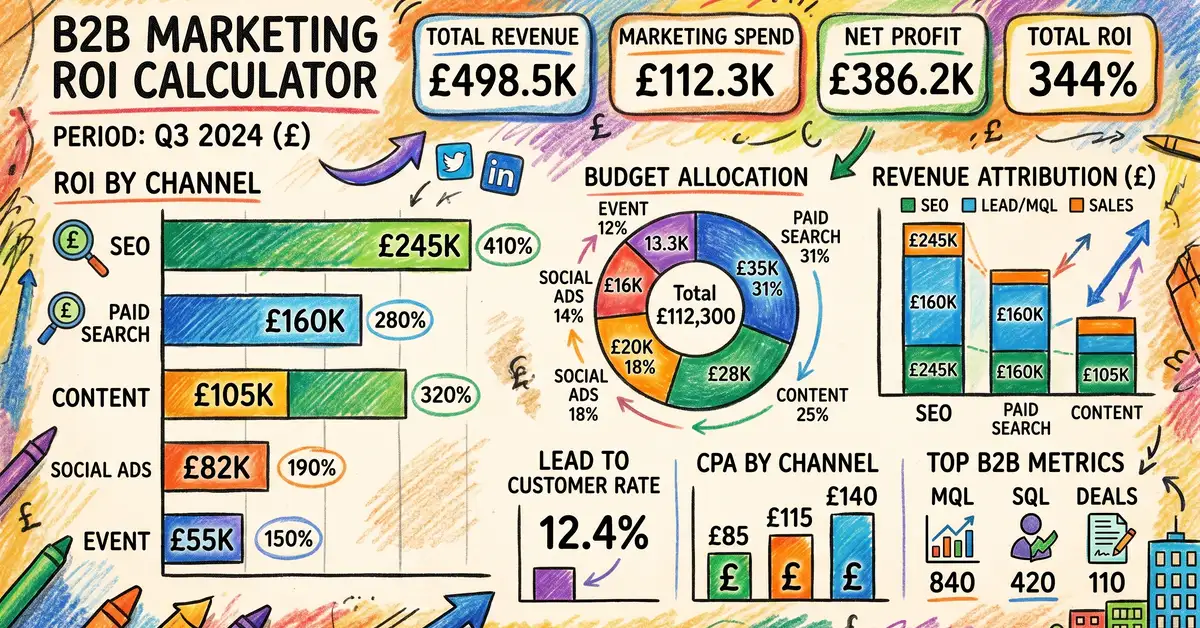 Clwyd Probert : Apr 18, 2026, 11:00:00 AM
Free marketing ROI calculator with channel-specific formulas and B2B benchmarks. Downloadable Excel workbook with scenario models and attribution...
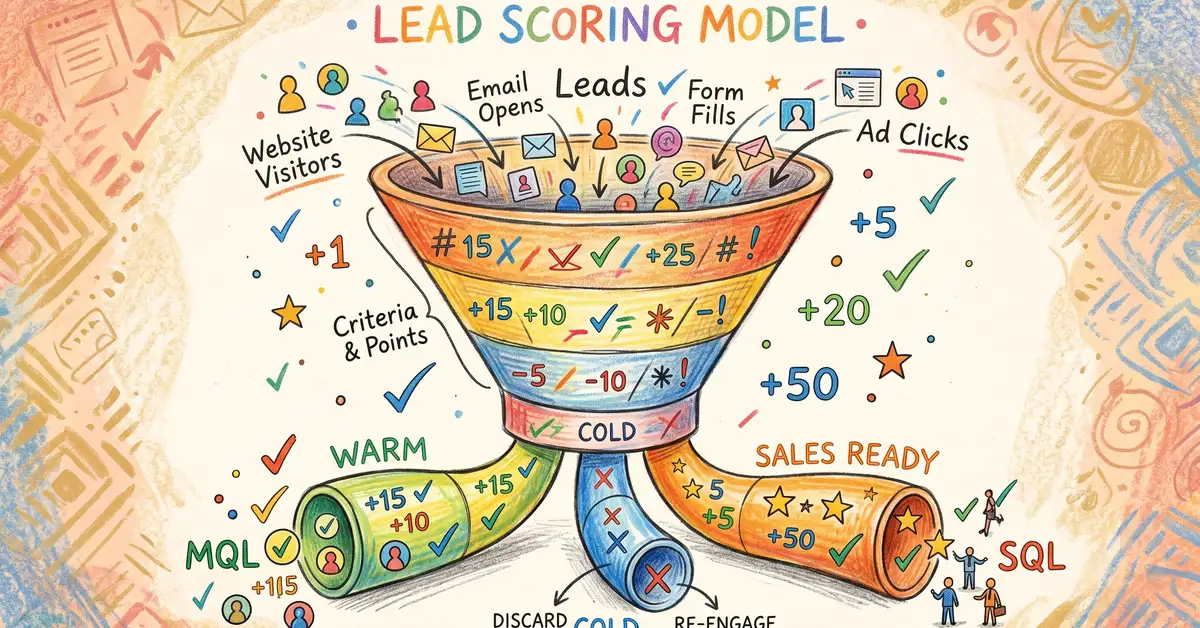 Clwyd Probert : Apr 19, 2026, 11:00:00 AM
Build a custom lead scoring model with our free template. Point values for demographic and behavioral scoring, plus CRM guides for HubSpot and...
Clwyd Probert : Aug 25, 2026, 10:16:09 AM
HubSpot Credits explained: what burns them (50 per resolved conversation, 1,000 per AI article), what's free, the two conflicting allowance figures,...