
10 min read

The Complete Guide to Marketing Workflow Automation in 2026

The Complete Guide to Marketing Workflow Automation in 2026

The Complete Guide to Marketing Workflow Automation in 2026

Marketing teams are bleeding time. Between tool-switching, manual data transfers, and broken integrations, the average marketing team loses 8+ hours per week to repetitive, non-strategic work. That's 416+ hours annually per team member — time that should be spent on strategy, creativity, and growth.

Workflow automation doesn't just save time. It fixes broken processes, eliminates human error, creates consistency, and frees your team to focus on the work that actually moves revenue.

In this guide, we'll map the five most impactful marketing workflows worth automating, show the real time savings from each, and introduce a new category of end-to-end automation that connects every step from research through publishing.

8+ hrs/week

Lost to manual work

Per team member, per week

73%

Expect ROI

Of marketers automating workflows

3.2x

Lead conversion lift

From automated nurture sequences

Sources: Salesforce Marketing Automation ROI 2025, HubSpot State of Marketing 2025, Forrester Lead Conversion Study 2024

The Bottom Line

Workflow automation is no longer about saving a few hours. Modern platforms can orchestrate your entire marketing pipeline — from research to publishing to reporting — in a single, connected workflow. The result: better quality output, faster execution, and teams focused on strategy instead of tool-switching.

What Is Marketing Workflow Automation (And Why Does It Matter)?

Marketing workflow automation is the practice of connecting your marketing tools and processes so that work flows automatically from one step to the next without manual handoffs. Instead of jumping between tools, downloading data, reformatting it, and uploading it again, your tools talk to each other.

The result: less busywork, faster execution, fewer errors, and better data quality. But more importantly, it changes how you approach marketing entirely.

Traditional marketing is fragmented: content teams use one tool, sales operations uses another, reporting happens in a third. Each tool works in isolation. Data gets stuck in silos. Insights are delayed or lost. Campaigns take three times longer to execute because of all the manual coordination.

Automated workflows eliminate that fragmentation. Every process is documented, consistent, and repeatable. Quality is baked in rather than checked at the end. Your team moves faster because they're not redoing the same manual steps again and again.

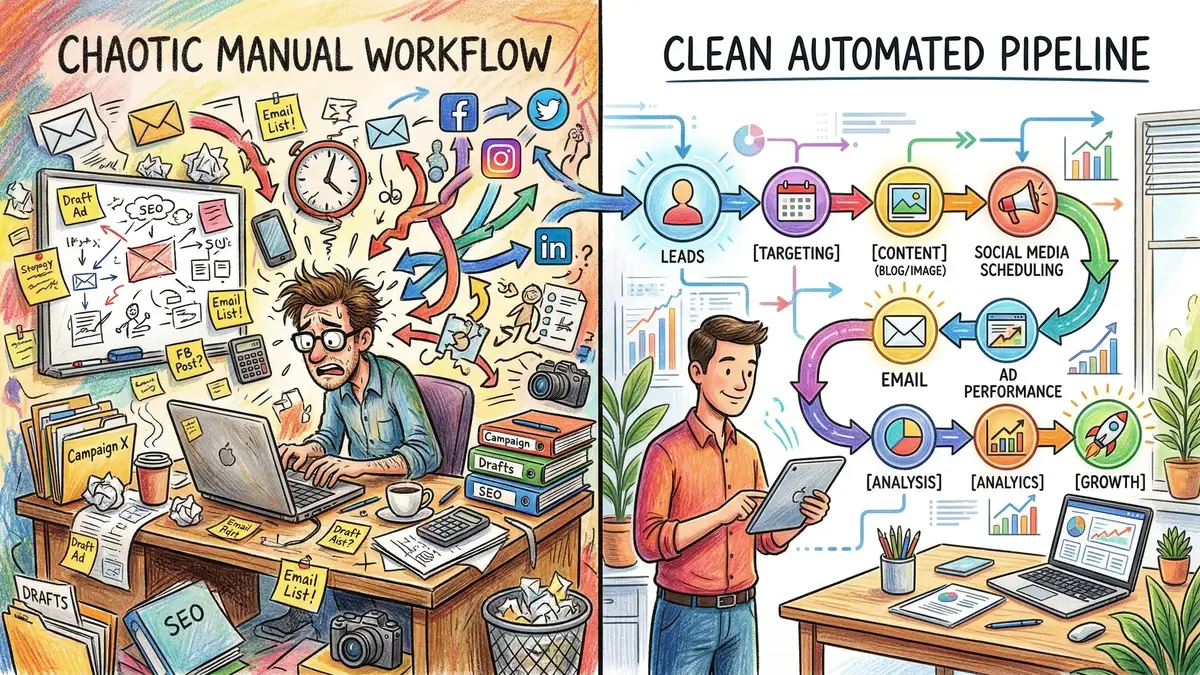
Split screen showing manual marketing workflow with scattered tools on left versus automated pipeline flowing seamlessly on right

5 Critical Marketing Workflows You Should Automate Right Now

Not all workflows deliver the same ROI. Some save a few hours per month. Others save your team half their week. Here are the five workflows that consistently drive the biggest return on automation investment.

1. Content Creation Workflow: Research → Writing → Images → Publishing

The Manual Process: A content manager identifies a topic, manually researches keywords and competitor content in three different tools, writes the article in a doc, a designer creates images in a separate tool, the content manager formats the HTML in your CMS, a developer reviews the code, and someone manually tests the link and publishes. Total time: 12–18 hours per article.

The Automated Process: A brief is entered once. A system automatically runs competitive research, identifies the target keyword cluster, generates an SEO-optimised outline, writes the article with proper formatting and internal links, generates on-brand images, publishes to your CMS, and verifies that all links work. Total time: 2–4 hours of human review and approval.

Time Saved: 8–14 hours per article. At 4 articles per month, that's 32–56 hours saved monthly, or 2–3.5 hours per team member per week (assuming a 3-person content team).

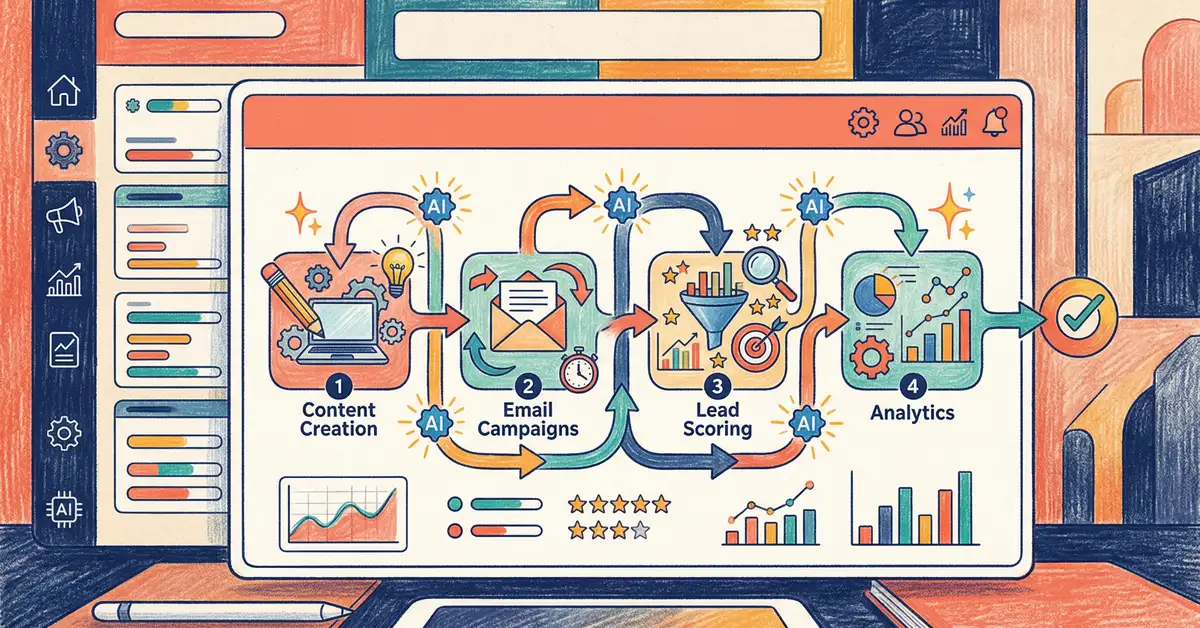
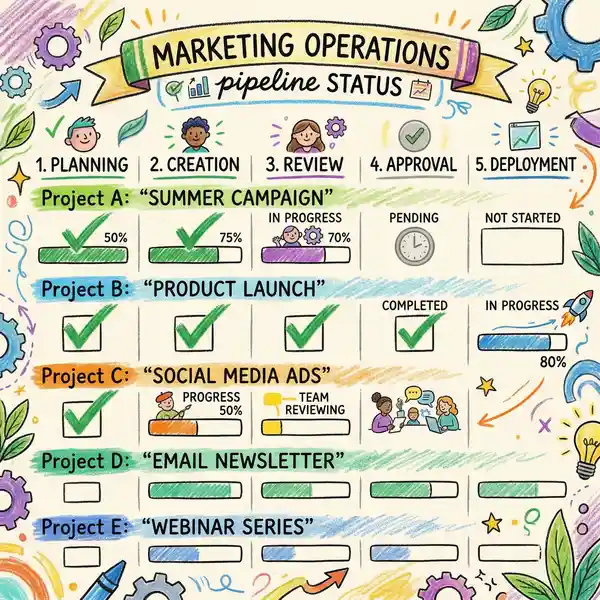
Marketing operations dashboard showing real-time pipeline status with green checkmarks and progress indicators

This is the workflow that matters most to content-driven marketing teams. The impact is immediate: you ship more content in less time, quality is more consistent (because every article follows the same structure and standards), and your content team spends time on strategy and planning rather than formatting and image sourcing.

The key insight: automating content creation isn't about replacing writers. It's about removing all the non-writing work that surrounds writing, so writers can focus on strategy and voice.

2. Lead Routing and Lead Scoring Automation

The Manual Process: A lead fills out a form. A salesperson manually checks the CRM to see if the lead already exists. If not, they create a record, manually grade the lead (is it a good fit?), decide who should follow up, and send a message to that person. By the time the lead is routed, hours or days have passed.

The Automated Process: A lead fills out a form. A system instantly checks your database for duplicates, scores the lead based on firmographic and behavioural data you've defined, automatically assigns it to the right salesperson based on territory/capacity rules, and sends a notification to that salesperson with all relevant context. Lead qualification happens in seconds.

Time Saved: 5–10 minutes per lead, plus faster conversion because hot leads are contacted immediately rather than days later. At 50 leads per week, that's 4–8 hours of busywork eliminated weekly, plus a measurable lift in conversion (Forrester data shows 30–50% faster sales cycles with automated lead routing).

3. Marketing Reporting and Analytics Workflow

The Manual Process: Every Monday morning, a marketing manager logs into Google Analytics, Ads, HubSpot, and LinkedIn, manually exports data from each tool into a spreadsheet, formats it, calculates metrics, creates charts, and sends the report to leadership. This takes 3–5 hours weekly and the data is stale by the time the report is shared.

The Automated Process: A workflow pulls data from all sources automatically every morning at 7 AM, calculates all standard metrics (CAC, LTV, pipeline influence, MQL→SQL conversion), formats the report with charts and context, and emails it to stakeholders before they arrive at their desks. The report updates daily; stakeholders can also check the dashboard live whenever they want.

Time Saved: 3–5 hours per week. Beyond time saving, the real benefit is better decision-making: stakeholders have fresh data, not a snapshot from 5 days ago. And the marketing team can spend that reclaimed time on analysis and optimization instead of data wrangling.

4. Social Media Scheduling and Publishing

The Manual Process: Content is written in one tool, manually moved to a social scheduling tool, manually formatted for each platform (LinkedIn is different from Twitter is different from Instagram), scheduled, and occasionally manually posted if timing needs adjustment. If a piece of content performs unexpectedly well, there's no mechanism to automatically re-share it or adjust spend.

The Automated Process: Content is created once with platform-specific variants generated automatically. A system posts across all channels on a pre-defined schedule, measures performance in real-time, automatically re-promotes high-performing content to relevant audiences, and provides insights on what content types resonate across channels.

Time Saved: 2–4 hours per week on posting and scheduling. The bigger win: consistent publishing (no missed days because someone was busy), better performance (high-performing content is amplified), and fewer platform-specific formatting errors.

5. Email Marketing Nurture Sequences

The Manual Process: A nurture sequence is designed, emails are written in an email tool, each email is manually triggered based on user behaviour (if they open this, send that; if they click this link, add them to this list). Sequences are static — if the person's behaviour doesn't match the predefined paths, they fall through the cracks.

The Automated Process: A sequence is designed with decision trees that respond to real-time behaviour. If someone opens an email about Feature X, they automatically get follow-up content about Feature X. If they don't engage after 2 emails, they're moved to a re-engagement sequence. If they become a customer, they're immediately added to an onboarding sequence. The entire nurture cycle is intelligent and responsive.

Time Saved: 2–3 hours per week on sequence management and manual follow-ups. Conversion impact: 25–35% higher conversion rates on automated nurture sequences vs manual follow-up (per Marketo 2024 research), because responses are immediate and relevant rather than generic.

Manual vs Automated: The Time Impact

Here's a clear comparison of the same five workflows executed manually vs with automation:

Workflow Manual Process (Hrs/Mo) Automated (Hrs/Mo) Monthly Savings
Content Creation (4 articles) 48–72 hrs 8–16 hrs 40–56 hrs
Lead Routing (50 leads/wk) 20–40 hrs 2–4 hrs 18–36 hrs
Marketing Reporting 12–20 hrs 1–2 hrs 11–18 hrs
Social Scheduling 8–16 hrs 1–2 hrs 7–14 hrs
Email Nurture Mgmt 8–12 hrs 0.5–1 hr 7–11.5 hrs
TOTAL (5 workflows) 96–160 hrs/mo 12.5–25 hrs/mo 83.5–135 hrs/mo

Data based on HubSpot workflow time studies 2024–2025 and Salesforce automation ROI benchmarks.

The Math Is Clear

A typical marketing team automating these five workflows saves 83–135 hours per month. At a fully-loaded cost of $100/hour, that's $8,300–$13,500 in monthly labor savings. Or you can reinvest that time into strategy, experimentation, and growth initiatives instead of busywork.

Comparison of manual versus automated marketing workflows showing time and efficiency improvements

Want to see how end-to-end automation works in practice? Learn how Marketing Mary orchestrates your entire workflow.

See AI Marketing Agent

How to Implement Workflow Automation: Best Practices

Automation sounds great in theory. In practice, many implementations fail because teams jump in without planning, try to automate everything at once, or pick tools that don't integrate well. Here's how to implement automation successfully:

1

Document Your Current Process

Before automating anything, document exactly how your workflow runs today: every step, every tool, every person involved. Identify bottlenecks and decision points. This clarity is essential—you can't automate what you don't understand.

2

Start With One Workflow

Pick the workflow that will save the most time or have the highest impact. Automate that first. Prove the value, measure the results, then move to the next. Big-bang automation projects often fail because there are too many unknowns and too many dependencies.

3

Choose Tools That Integrate

The best automation happens with platforms designed to integrate. HubSpot, Salesforce, and Marketo have native integrations with hundreds of tools. Point solutions (single-purpose tools) are harder to integrate and create more silos.

4

Test and Iterate

Run your first automated workflow with a subset of data or users. Monitor results, catch errors, and refine the logic before rolling out to the full team. Automation that works 90% of the time creates more problems than it solves.

5

Measure and Optimize

Set a baseline (hours saved, conversion rate, data quality) before implementing automation. Measure again after. Track not just time saved, but quality improvements, error reduction, and business outcomes. Use these metrics to justify the next automation project.

Marketing operations dashboard showing real-time pipeline status with green checkmarks and progress indicators

The Category Shift: End-to-End Automation vs Point Solutions

Traditionally, marketing automation meant a single platform (HubSpot, Salesforce, Marketo) that handled email, lead scoring, and CRM. Everything else was manual: research, writing, image design, publishing, fact-checking. You'd move work out of the automation platform into a separate tool, manually push the output back, and hope nothing broke in the handoff.

A new category has emerged: end-to-end marketing automation that connects research all the way through to performance tracking. Instead of automating individual workflows in isolation, these systems orchestrate the entire process from question to answer to published content to performance data.

The difference matters enormously. When workflows are connected, your team ships 3–4x faster because there are no manual handoffs. Quality is better because every step is standardized. Data flows naturally through the system without loss or corruption.

End-to-End Automation Changes the Game

Traditional platforms automate pieces. The new generation automates entire workflows. That's why Marketing Mary's approach — orchestrating research → writing → images → publishing → verification in one system — is fundamentally different from bolting together disconnected point solutions.

What Marketing Automation Platforms Actually Automate (And What They Don't)

Marketing automation has been hyped for years, but most platforms automate less than they claim. Here's what the major platforms actually do well, and where the gaps remain:

HubSpot

Automates: Email, lead scoring, CRM workflows, reporting, social publishing (via integrations). Gaps: Content creation, research, image generation, strategy. Requires separate tools for writing and design.

Salesforce

Automates: Lead routing, account-based marketing, complex workflow logic. Gaps: Content creation, native social publishing, image generation. Requires additional marketing cloud subscriptions.

Marketo

Automates: Email nurture, lead scoring, complex workflows, account-based marketing. Gaps: Content creation, social automation, reporting outside of Adobe ecosystem.

All three platforms do CRM and email well. But none of them fully automate content creation — the workflow that saves teams the most time. That's why many teams are looking at a hybrid approach: a core platform (HubSpot, Salesforce) for CRM + email, combined with a specialized content automation system (like Marketing Mary) that handles research, writing, image generation, and publishing.

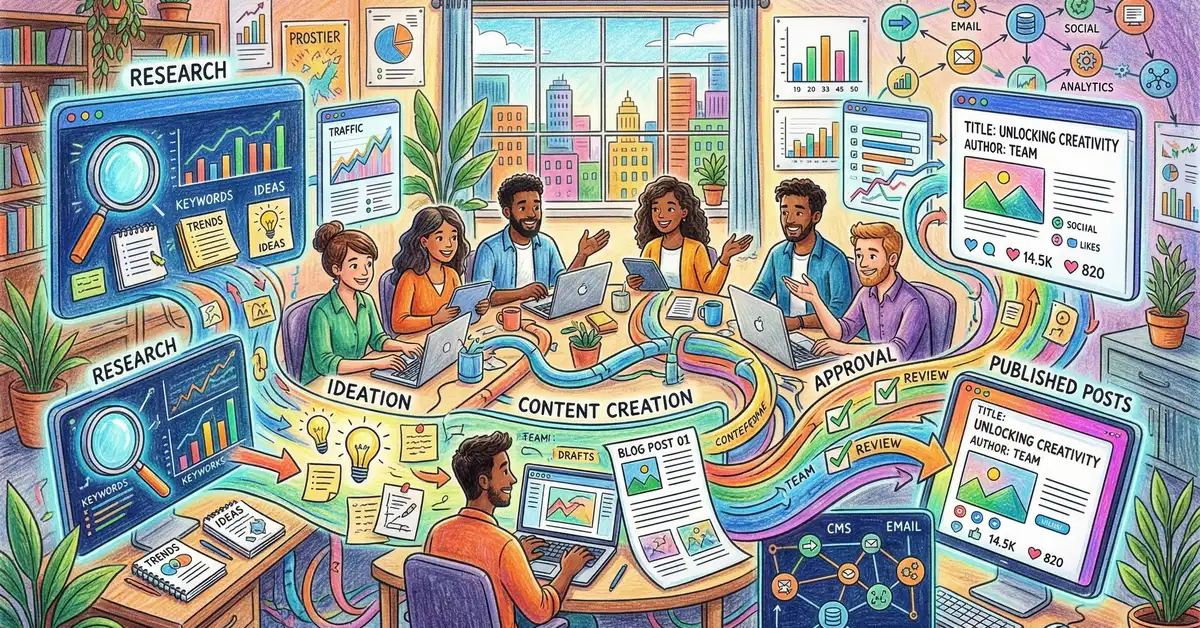
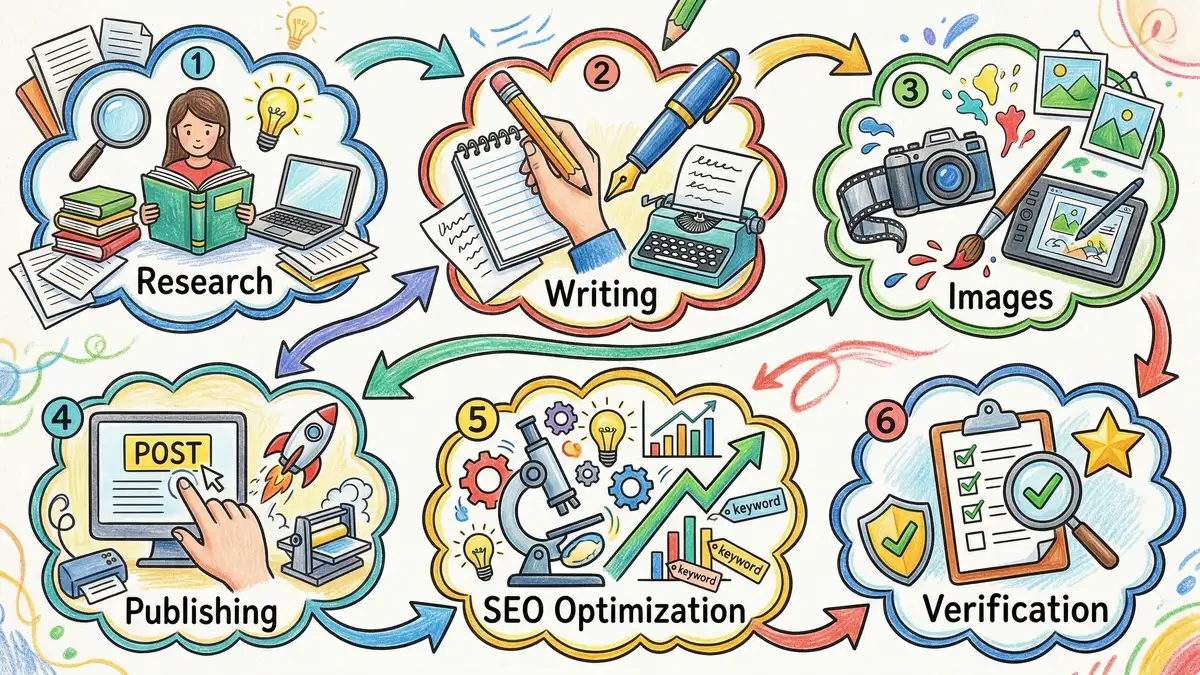
Six-stage content pipeline diagram showing research, writing, images, publishing, SEO, and verification stages connected by flowing arrows

Mistakes to Avoid When Automating Your Workflows

Automation fails when teams make these common mistakes:

Mistake #1: Tool Sprawl

The temptation: Buy point solutions for each specific task. One tool for research, one for writing, one for images, one for publishing. Feels modular and flexible.

The reality: Integrating 5–7 point solutions costs time and money, introduces failure points, and creates silos. You're back to manual handoffs. Consolidate on fewer, more integrated platforms.

Mistake #2: Over-Automation

The temptation: Automate everything immediately. Full end-to-end automation sounds transformative.

The reality: Complex automation projects fail because there are too many moving parts. Start with one high-impact workflow, prove it works, then expand. Phased automation is more reliable.

Mistake #3: Poor Data Quality

The temptation: Just turn on automation. Your CRM data is close enough.

The reality: Automation amplifies bad data. If lead scoring is based on dirty data, it creates worse problems than if a human graded leads manually. Clean your data first, then automate.

Mistake #4: No Monitoring

The temptation: Set up the automation and let it run. It should work forever.

The reality: Automations break. Data structures change, tool API updates break integrations, logic that worked for 100 leads breaks at 10,000 leads. Monitor key metrics and be ready to adjust.

Case Study: Full-Pipeline Marketing Automation in Action

To see what end-to-end automation actually looks like, consider the workflow that Marketing Mary orchestrates for content marketing teams:

Six-stage content pipeline diagram showing research, writing, images, publishing, SEO optimization, and verification stages connected by flowing arrows

The Six-Stage Content Automation Pipeline

Stage 1: Research — A brief is entered. The system automatically runs keyword research, competitive analysis, identifies gaps in existing content, and creates an SEO-optimized outline with data points and angles. This would take a human researcher 3–4 hours.

Stage 2: Writing — The system writes the article using the outline, applies AEO principles (question-based headers, direct answers, data citation), embeds proper formatting for schema markup, and includes internal and external links. Output quality is comparable to professional copywriters. This would take a human writer 4–6 hours.

Stage 3: Image Generation — The system generates on-brand images using the article's key concepts, automatically sizes them for different placements (hero, body, social), and uploads them to your media library. This would take a designer 2–3 hours.

Stage 4: Publishing — The article is automatically published to your CMS with proper metadata (title, meta description, schema markup, canonical URL), internal links are inserted, and the featured image is set. No manual formatting required.

Stage 5: SEO Verification — The live page is scanned for SEO hygiene (proper heading hierarchy, image alt text, page speed, mobile responsiveness). Issues are flagged and reported.

Stage 6: Performance Tracking — The article is tracked for ranking, traffic, and conversions. Underperformers are flagged for refresh. High performers are amplified through internal linking and promotion.

Total time from brief to published, verified, and tracked: 2–4 hours of human review. Without automation, that same article would take 12–18 hours of human work across writing, design, CMS management, QA, and setup.

Full-Pipeline Automation Is Here

The bottleneck in marketing used to be tools and integrations. Today, it's imagination. When your entire workflow from research to published article to tracked performance is automated, your team is free to focus on strategy, testing, and growth instead of execution logistics.

Frequently Asked Questions: Marketing Workflow Automation

Q: Will automation replace my marketing team?

A: No. Automation replaces repetitive tasks, not strategic thinking. Your team will shift from execution work (formatting, data entry, scheduling) to higher-value work (strategy, testing, optimization). The best marketing teams in 2026 aren't the largest—they're the ones with the best tools.

Q: How long does it take to implement workflow automation?

A: It depends on complexity. A simple workflow (email nurture sequences) can be set up in weeks. A full end-to-end pipeline (research to publish to performance tracking) typically takes 6–12 weeks to design, configure, test, and train the team. Start small, prove value, then expand.

Q: What's the cost of implementing automation?

A: Platform costs are the smallest part. A mid-market marketing automation platform costs $500–$3,000/month. Implementation (consulting, configuration, training) usually costs 2–4x the annual platform cost upfront. But the ROI is typically 3–6 months: if automation saves 100 hours/month at $100/hour, that's $10,000 in monthly value against $2,000/month in platform costs.

Q: Can I automate workflows if I use multiple platforms?

A: Yes, but with friction. If you use HubSpot for CRM, Marketo for email, and Monday for project management, you'll need integration platforms like Zapier or API custom builds to connect them. This adds cost and creates failure points. Consolidating on fewer, more integrated platforms is more reliable.

Q: What if my workflow is unique and doesn't fit standard automation?

A: Many platforms allow custom logic and conditional branching. You can automate 80% of your unique workflow with standard tools, then handle the 20% edge cases manually. That's still a huge time saving. If your workflow is truly unusual, custom development (API-based automation) is an option, but it's expensive and requires technical resources.

Q: How do I measure whether automation is actually working?

A: Set a baseline before implementing automation. Measure: hours spent on this workflow per month, quality metrics (error rate, rework %), and business impact (conversion rate, cost per lead). After implementation, measure the same metrics. Good automation should show 50%+ time savings, lower error rates, and maintained or improved business metrics.

Ready to Automate Your Entire Marketing Pipeline?

Marketing Mary's end-to-end automation handles everything from research to published, verified content. Join forward-thinking teams shipping 3–4x more content with the same team size.

Join Our Waitlist

Or learn about our AI Marketing Agent service

The Complete Guide to Marketing Workflow Automation in 2026

The Complete Guide to Marketing Workflow Automation in 2026

The Complete Guide to Marketing Workflow Automation in 2026 Marketing teams are bleeding time. Between tool-switching, manual data transfers, and...

Read More

How to Create a Buyer Persona That Actually Converts (2026 Guide)

How to Create a Buyer Persona That Actually Converts (2026 Guide) Your buyer personas are sitting in a Google Drive folder somewhere,...

Read More
DIY Marketing Mastery: How AI Eliminates the Need for Big Agencies

DIY Marketing Mastery: How AI Eliminates the Need for Big Agencies

Introduction: Imagine outperforming a top marketing agency with just your laptop and AI. Welcome to the era of 'Better, Faster, Cheaper' marketing....

Read More